Resilient Front-end Design Patterns
Introduction

Today I’ll continue talking about front-end reliability and how we can improve the resilience of our systems. I covered synchronous communication resiliency patterns in my previous post. In this post I’ll share a few general patterns that I found very useful when designing and building resilient front-end applications.
Graceful degradation
Sooner or later, systems fail. Some components crash, misbehave, or have short-term and long-term disruptions. The goal of building resilient systems isn’t just to reduce the chance of components failing. It’s to design the overall system to handle those failures gracefully. That way you keep the failures isolated and keep the system running in a degraded mode.
I learned this idea from a real situation - and you can probably guess it wasn’t a fun one. We were building a website with a core flow that included a multi-step wizard. One of the wizard’s steps had a feature that rendered a PDF document - a preview of a contract that end users would agree to. To render that PDF, we used a third-party PDF rendering library. We tested the feature on multiple browsers and it worked correctly. We shipped it, and it worked in production too. Until we got some complaints from end users.
Users said that once they reached this step, which should have rendered a PDF file, the whole page went blank. It turned out the library didn’t work well with certain Safari versions. Not having a test macOS device didn’t help either - a good reminder that you need a solid testing strategy that covers multiple devices, operating systems, browsers, and versions. So we had to fall back on virtual simulators (BrowserStack and AWS Device Farm) to test the fix.
Once we pushed the fix, most of the complaints went away. But not all of them. Some old browsers had compatibility issues, and some of the latest browsers had bugs that stopped the PDF from rendering. This was a painful problem, so we had to find a solution.
Since this was a core flow of the application, the feature had to be really robust. So we made two improvements:
- A mechanism to catch global errors and show an informative, friendly error page with support contacts
- A mechanism to gracefully catch PDF renderer errors and show a fallback option instead
In React pseudocode, it looked like this:
<Root>
    <ErrorBoundary fallbackRender={<GlobalErrorPage/>}>
        <App>
            <Wizard>
                <ErrorBoundary fallbackRender={<DocumentDownloadLink/>}>
                    <DocumentPdfPreviewStep>
                </ErrorBoundary>
            </Wizard>
        </App>
    </ErrorBoundary>
</Root>
We used React error boundaries and a wrapper library, react-error-boundary, for this. At the very root of the application, we wrap it with an error boundary to catch any global exceptions that might slip through and show a friendly global error page (just make sure it doesn’t throw any errors itself!).
At the feature level, we wrap potentially faulty components with another error boundary and add fallback mechanisms. For this case, if we can’t render a PDF document, we render a link that users can click to download the PDF file instead.
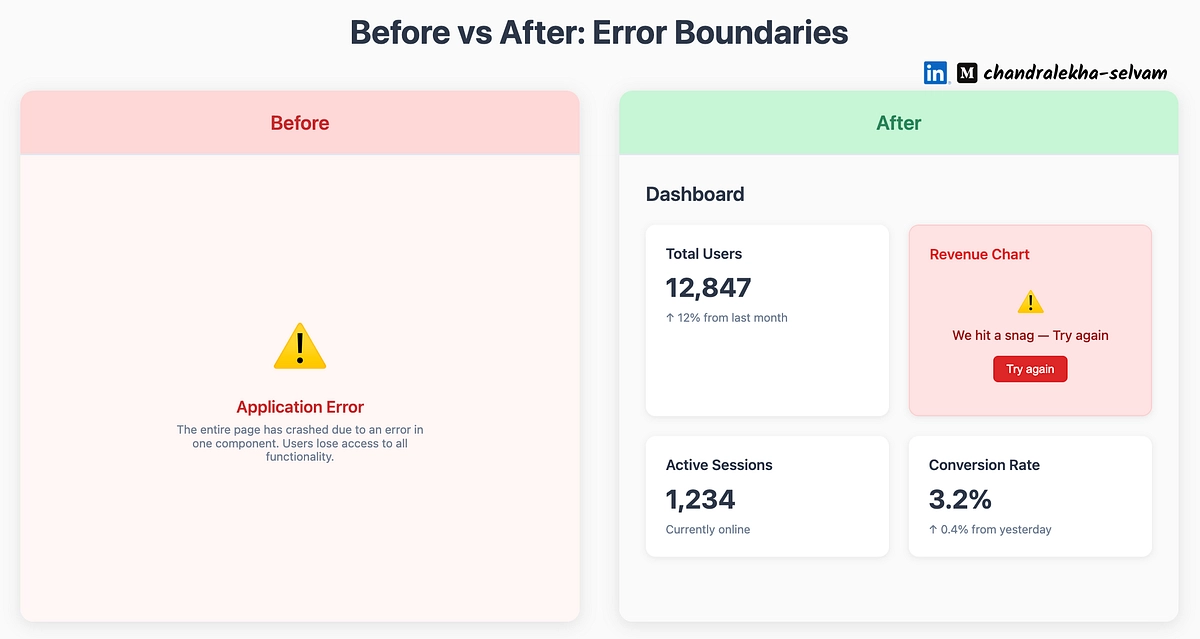
After adopting this pattern, the feature became really resilient. We didn’t get any more complaints from users who were blocked from the core flow of the application.
Feature Flags
Feature flags are the unsung hero that should be adopted more often. LaunchDarkly (one of the best-known feature flag platforms) offers a great explanation:
Feature flags are conditional if-else statements that determine which code path executes at runtime. Teams can turn features on or off, limit exposure to specific testers or environments, or adjust behavior without shipping new code. This makes individual features (not deployments) the unit of control. It goes beyond dark launches into the ongoing management of how features behave while users interact with them. Because they’re evaluated at runtime, feature flags give teams direct control over what runs, for whom, and how widely it’s exposed - long after the deploy is done. That makes them the foundation of a continuous “release, observe, iterate” loop, where teams refine feature behavior as users interact with it.
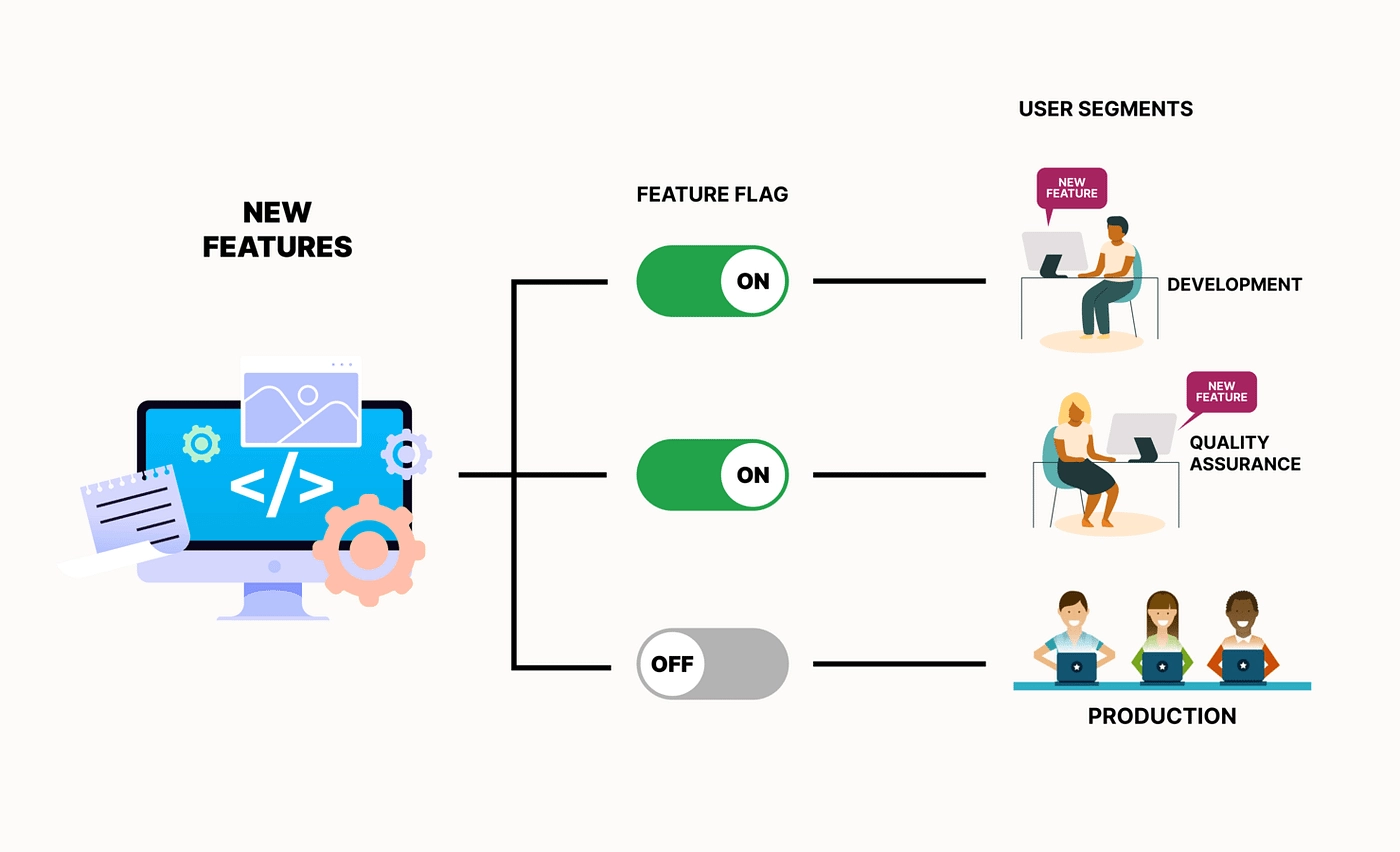
With feature flags in place, you control which feature is enabled or disabled for a given environment, group, or even individual user. As a result, we can use them to:
- Hide incomplete features in production and enable them only in lower test environments - this makes trunk-based development easier
- Enable a feature for test or pilot users only
- Disable a faulty feature during an incident
The feature flags pattern offers great advantages, but it’s not a silver bullet. A few things need to be considered when using it:
- Your development team needs to be more careful when introducing and maintaining feature flags. The codebase can bloat with if statements really quick
- Managing feature flags requires proper attention to make sure an invalid combination of them doesn’t lead to incidents
From the code perspective, it could look like this:
const { isFeatureEnabled } = useFeatureFlag();

return (
    <DashboardGrid>
        <WidgetOne />
        <WidgetTwo />
        {isFeatureEnabled(FeatureKey.MY_NEW_AWESOME_FEATURE) &&  <WidgetThree />}
    </DashboardGrid>
);
In this example, we conditionally render a new widget within the dashboard depending on the value of the feature flag.
The way you manage feature flags can vary a lot. You can either:
- Code it yourself:
- Store the values of feature flags in the database
- Have dedicated APIs and UIs for managing the values, or just change them directly in the database
- Expose the values through an API that the front-end layer then consumes
- Self-host open source solutions:
- Use enterprise-grade platforms:
My recommendation is to choose the solution based on your needs:
- Who will add new feature flags, and how often
- Who will manage the values of feature flags, and how often
- Whether you need the ability to manage values at the segment and individual user level
As always, I suggest starting small and then iterating on your solution as your needs grow.
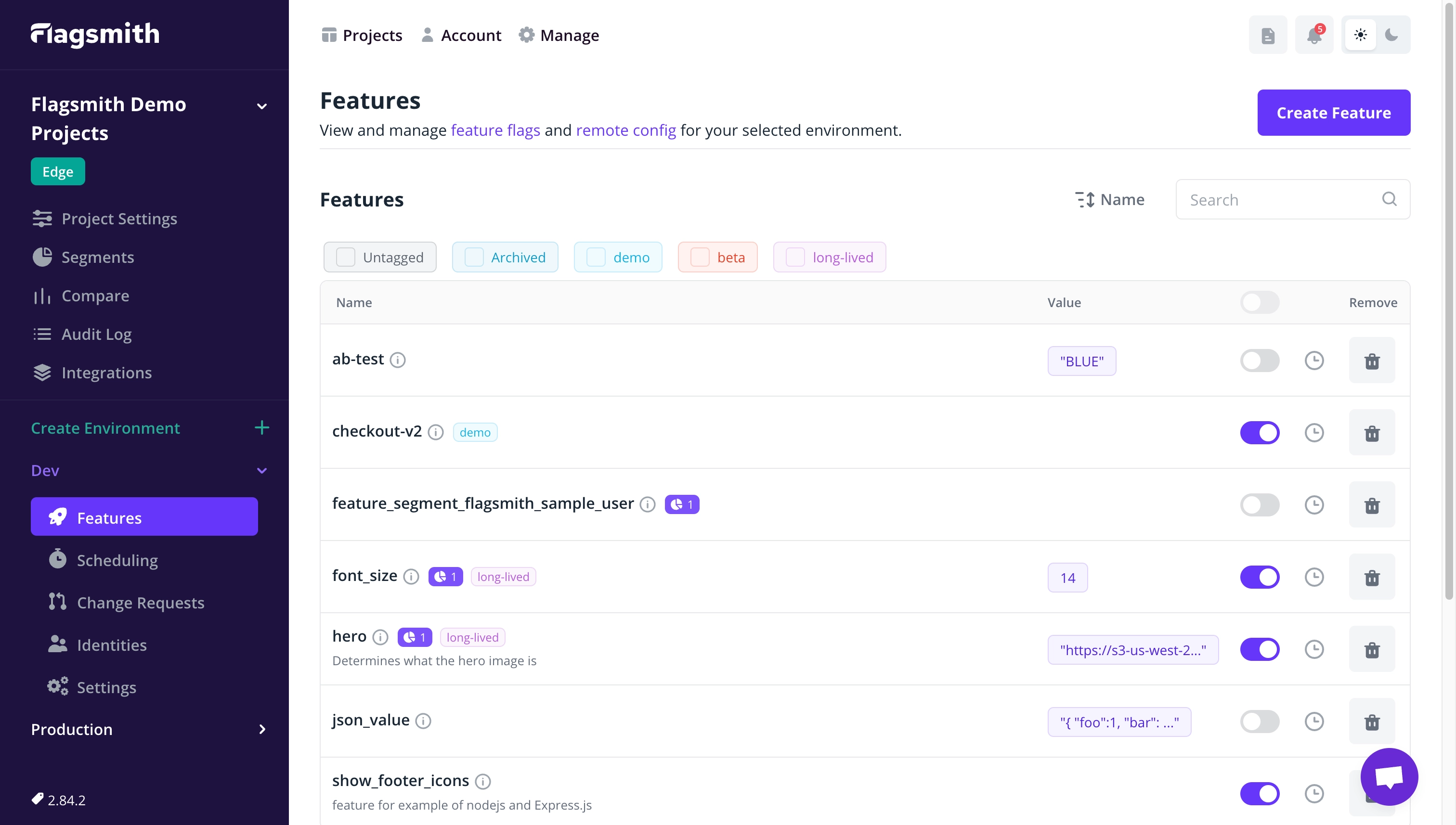
I really love the feature flags pattern. It lets me do trunk-based development and enable features for test users to get their feedback before rolling them out to everyone. It gives me more confidence, safety, and resilience - not just during development, but also after deployment, when we can disable a feature if needed.
Summary
Graceful degradation and feature flags are two really great patterns that work with all types of components. But I find that front-end examples and use cases show off their usefulness very clearly. Learning and adopting them will expand your skillset and help you build more resilient applications. Hopefully you’ll find a chance to apply them! 🛡️